How to Teach Online Effectively
Effective online teaching requires more than recorded lessons and live video calls. Learn how to design clear learning outcomes, active practice, feedback, assessments, instructor presence, accessibility, and meaningful learner interaction.
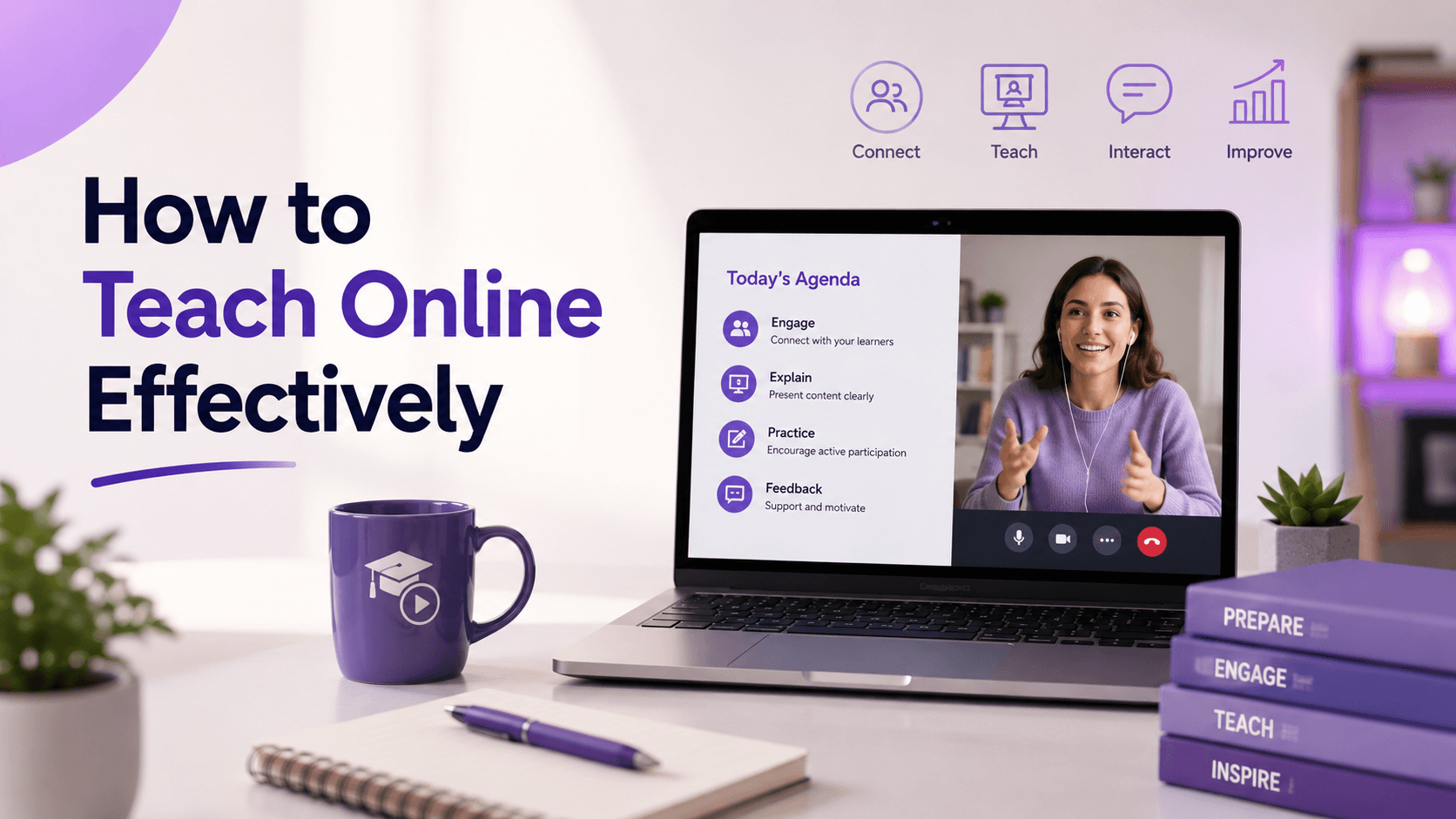
How to Teach Online Effectively: A Research-Based Guide for Trainers and Educators
Teaching online effectively requires more than knowing your subject and turning on a camera.
A trainer can be excellent in a physical classroom and still struggle online.
The reason is simple: online teaching changes the learning environment.
In a classroom, instructors can immediately notice confusion. They can change their explanation, ask a question, walk around the room, read body language, start a discussion, or speak privately with a learner after the session.
Online, many of those signals become weaker or disappear entirely.
Learners may be:
-
studying at different times;
-
joining from different devices;
-
balancing work and family responsibilities;
-
learning without direct supervision;
-
navigating the platform independently;
-
struggling without telling the instructor;
-
consuming lessons without actually practising.
Effective online teaching therefore requires deliberate design.
The trainer has to make things explicit that a physical classroom sometimes makes implicit:
Where am I?
What am I supposed to learn?
What should I do next?
How do I practise this?
How do I know whether I understood it?
Where do I ask for help?
What does good work look like?
How will I know I have completed the course successfully?
Carnegie Mellon University's Eberly Center makes this distinction clear. Its evidence-based online-course checklist emphasizes measurable objectives, aligned assessment, active learning, regular formative practice, timely feedback, clear navigation, inclusion, and appropriate technology rather than simply transferring classroom instruction onto the internet. (Carnegie Mellon University)
The OECD reaches a similar conclusion in its analysis of digital adult education: effective online learning requires instructional quality, trained educators, learner engagement, feedback, clear learning pathways, suitable technology, technical support, assessment integrity, and data protection. (OECD)
The central principle is therefore:
Good online teaching is not classroom teaching delivered through a screen. It is learning intentionally redesigned for a digital environment.
What Does Effective Online Teaching Mean?
Effective online teaching is the deliberate design and facilitation of a digital learning experience that helps learners achieve clearly defined outcomes through appropriate instruction, practice, interaction, assessment, feedback, and support.
That definition matters because teaching effectiveness should not be confused with:
video quality
number of live sessions
course completion
student entertainment
or even:
how much content the instructor explains.
The real question is:
Did the learning experience help learners develop the intended knowledge or capability?
Quality Matters, whose Higher Education Rubric currently evaluates online and hybrid courses across eight major areas, places particular emphasis on alignment among:
learning objectives
assessment
instructional materials
learning activities
learner interaction
technology. (Quality Matters)
The same framework also includes learner support, accessibility, usability, and course orientation.
This produces a better model of online teaching:
Outcome → instruction → practice → feedback → assessment → improvement
rather than:
Record → upload → watch → certificate
Step 1: Know Who You Are Teaching
Online teaching begins before the first lesson.
Start with the learner.
Ask:
What do they already know?
Why are they taking this course?
What are they trying to achieve?
How much time do they realistically have?
Are they beginners or experienced professionals?
What technology are they using?
Are they studying independently or through an employer?
What might prevent them from completing the course?
Carnegie Mellon's teaching principles emphasize that effective instructors need relevant knowledge about their learners and should use that information when designing both the course and the teaching experience. Prior knowledge can help learning, but incorrect prior knowledge can also interfere with it. (Carnegie Mellon University)
Consider the difference between teaching:
Excel.
and teaching:
Excel Data Analysis for Small-Business Owners Who Already Know Basic Formulas.
The second immediately clarifies:
-
learner level;
-
examples;
-
prerequisite knowledge;
-
likely use cases;
-
depth.
Online courses benefit enormously from this specificity because learners have fewer opportunities to interrupt the instructor and say:
“I don't understand what you're assuming I already know.”
Design those assumptions deliberately.
Step 2: Define What Learners Should Be Able to Do
Before recording anything, define the outcome.
Avoid:
Understand digital marketing.
Prefer:
Create and justify a basic digital marketing strategy for a small business.
Avoid:
Learn financial forecasting.
Prefer:
Build and interpret a 12-month cash-flow forecast using realistic business assumptions.
The difference is important.
A measurable outcome helps you decide:
what to teach
what learners need to practise
what assessment makes sense
what can be removed.
Carnegie Mellon's online-course guidance recommends objectives that explicitly describe what students should be able to demonstrate and assessments capable of measuring their level of mastery. (Carnegie Mellon University)
This is where effective teaching starts becoming selective.
Experts often want to teach everything.
Good educators decide what learners need for this particular outcome.
[Internal link: How to Turn Your Expertise Into an Online Course]
Step 3: Design the Assessment Before the Lessons
A useful question is:
What evidence would convince me that the learner achieved the outcome?
If your course teaches:
Build a content strategy.
The best final evidence probably is not:
50 multiple-choice questions.
It might be:
A complete content strategy for a realistic organization, including audience, positioning, content pillars, channel choices, publishing plan, and metrics.
Now work backward.
What does the learner need to know and practise before they can complete that project?
This creates alignment.
Carnegie Mellon distinguishes formative assessment—used during learning to guide improvement—from summative assessment, which evaluates achievement at the end of a unit or course. It also recommends frequent, low-stakes opportunities to retrieve information, practise skills, and receive feedback. (Carnegie Mellon University)
A strong online course might therefore contain:
small quiz
↓
practice exercise
↓
case
↓
assignment
↓
feedback
↓
final project
Assessment becomes part of teaching rather than something added afterward.
[Internal link: How Quizzes and Assignments Improve Learning]
Step 4: Create an Extremely Clear Learning Path
In a classroom, an instructor can say:
“Open page 40.”
“We are stopping here today.”
“Next week we will continue with pricing.”
Online learners often navigate alone.
Poor navigation therefore becomes an instructional problem.
A learner should immediately understand:
where they are
what they are doing
why they are doing it
what comes next.
The OECD identifies clear learning pathways, course maps, orientation material, instructional guidance, and logical progression among topics as important features of high-quality digital adult education. (OECD)
Carnegie Mellon's online checklist similarly recommends explicitly telling learners where they are in the course and what they need to do next. (Carnegie Mellon University)
A module introduction can be simple:
In this module you will learn how to define a target customer.
You will first study the concept, then analyze two examples, complete a short exercise, and finish by creating the customer segment for your final project.
Now the learner sees the architecture.
Good navigation reduces unnecessary cognitive effort.
The learner's mental energy should be spent understanding marketing, Python, finance, or biology—not discovering which button to click next.
Step 5: Do Not Turn Long Lectures Into Long Videos
A common approach to online teaching is:
Record the classroom lecture.
If the classroom session lasts two hours, the online video lasts two hours.
Technically, the course is online.
Educationally, little has been redesigned.
Carnegie Mellon's guidance recommends breaking complex lessons into manageable components and combining asynchronous material such as videos with related learning activities. (Carnegie Mellon University)
This does not mean every video must be exactly five, seven, or twelve minutes.
There is no universal magical video length.
Instead ask:
Does this segment have one clear purpose?
A 25-minute worked example may make complete sense.
A 70-minute recording covering seven unrelated concepts may be unnecessarily difficult to navigate.
A useful lesson structure is:
Question
What are we trying to solve?
Explanation
What does the learner need to understand?
Example
What does it look like?
Practice
What should the learner now do?
Connection
How does this support the larger course outcome?
The lesson should create movement.
Not simply airtime.
Step 6: Make Learners Active
One of the largest mistakes in online education is assuming attention equals learning.
The learner watches.
The instructor explains.
The video finishes.
The platform records:
Lesson complete.
But what did the learner do?
Cornell University's Center for Teaching Innovation recommends adapting active-learning approaches to online teaching by alternating instruction with opportunities to apply concepts, answer questions, collaborate, and receive feedback. (Center for Teaching Innovation)
The OECD also identifies active learning, interactive content, real-world problem solving, collaborative projects, quizzes, and discussion as important components of effective digital adult education. (OECD)
After teaching something, ask learners to use it.
If you teach:
Customer segmentation
ask:
Which segment would you prioritize in this scenario, and why?
If you teach:
Cash flow
give them numbers and ask:
In which month does the company run out of cash?
If you teach:
Programming
ask them to write code.
If you teach:
Graphic design
ask them to design.
If you teach:
Negotiation
give them a scenario and ask them to choose a response.
The principle is straightforward:
If learners are supposed to become capable of doing something, they eventually need to do it.
Step 7: Use Quizzes for Learning, Not Just Scoring
Quizzes are often treated as mini-exams.
They can serve a much more important purpose.
Frequent low-stakes retrieval can help learners remember knowledge and reveal misconceptions while there is still time to correct them.
Carnegie Mellon recommends spacing low-stakes formative assessment throughout online instruction so learners receive multiple opportunities for practice and feedback. (Carnegie Mellon University)
A good knowledge-check quiz can help the learner answer:
What do I actually remember without looking?
That is different from:
Does this explanation look familiar when I see it?
A useful quiz should ideally explain errors.
Instead of:
❌ Incorrect.
say:
Incorrect. Customer acquisition cost is calculated by dividing acquisition spending by the number of customers acquired. Revenue is not used in this calculation.
Now the quiz teaches.
Use quizzes to identify gaps.
Then give learners a path to close them.
Step 8: Build Assignments Around Real Application
Assignments are where online teaching can move from knowledge toward capability.
Suppose you teach:
Project management.
A weak assignment could be:
Write 500 words about project risk.
A stronger assignment could be:
Review the provided project scenario, identify at least eight significant risks, assess their probability and impact, and create a mitigation plan.
The learner now needs to:
-
analyze;
-
decide;
-
apply;
-
justify.
The OECD specifically recommends real-world problem solving in digital adult learning because it allows learners to apply knowledge to practical scenarios related to their professional contexts. (OECD)
Assignments should resemble the kind of thinking or performance learners will need outside the course.
That does not mean every assignment needs a real client.
A realistic case can be enough.
But the cognitive work should resemble real application.
Step 9: Give Feedback Learners Can Use
Online learners can easily become invisible.
They submit something.
Receive a score.
Continue.
That wastes one of the most valuable opportunities in teaching.
Feedback should help answer:
Where am I now?
What is wrong or incomplete?
What should I change?
What should I do differently next time?
Carnegie Mellon's online-course checklist specifically recommends targeted, timely feedback delivered early enough for learners to use it in subsequent work. (Carnegie Mellon University)
Its grading guidance also recommends sharing rubrics and examples of strong work so learners understand expectations before submitting. (Carnegie Mellon University)
Compare:
Good work. 8/10.
with:
Your segmentation is clear, but the evidence supporting why Segment B should be prioritized is weak. Compare expected need, ability to pay, and accessibility across all three segments before making the final recommendation.
The second gives the learner a decision to revisit.
Effective feedback creates another learning cycle:
Attempt → feedback → revision
Whenever possible, give learners somewhere to use the feedback.
Step 10: Create Teaching Presence
A major risk of asynchronous online education is that learners feel as though nobody is actually teaching them.
Content exists.
The platform exists.
The instructor feels absent.
Research describes an important concept called teaching presence: the degree to which learners experience intentional course design, facilitation, and direct instruction from the teacher.
A meta-analysis covering 30 studies found moderately strong relationships between teaching presence and both perceived learning and learner satisfaction in fully online courses. The strength varied considerably across course contexts, so this should not be interpreted as a simple causal formula, but it provides meaningful evidence that instructor presence matters. (ScienceDirect)
Teaching presence does not require being online 24 hours a day.
It can appear through:
welcome messages
module introductions
clear explanations
weekly announcements
feedback
discussion facilitation
live office hours
responses to recurring misconceptions
course updates based on learner difficulty.
The learner should feel:
Someone intentionally designed this experience and is paying attention to how learning progresses.
Not:
Someone uploaded twelve videos six months ago.
Step 11: Create Social Presence Without Forcing Interaction
Online learning can become isolating.
But adding a discussion forum does not automatically create community.
Social presence refers broadly to whether learners experience other participants as real people within the online environment.
A 2025 meta-analysis covering 53 studies in online higher education found a moderate relationship between measures of social presence and both learner satisfaction and learning outcomes, while also noting variation depending on delivery mode and measurement. (ERIC)
Earlier meta-analytic work also found strong positive relationships between social presence and satisfaction and perceived learning. (ScienceDirect)
This does not mean every online course needs:
Introduce yourself and reply to three classmates.
Forced interaction can become busywork.
Instead create interaction when it serves learning.
For example:
Compare two proposed solutions and explain which one you would choose.
Review another learner's project using the rubric.
Debate which strategy is more appropriate in this scenario.
Share one failure from your attempt and how you fixed it.
Now peer interaction has a purpose.
Step 12: Use Live Sessions for What Live Teaching Does Best
A live online session should not automatically become:
prerecorded lecture, but at a specific time.
Synchronous teaching is particularly valuable when interaction matters.
Use live sessions for:
questions
discussion
demonstrations
case analysis
coaching
feedback
group problem solving
presentations
role play.
Asynchronous material can handle information learners can reasonably study independently.
The OECD recommends combining synchronous and asynchronous interaction to accommodate different learner needs and schedules while preserving opportunities for engagement. (OECD)
Consider a flipped structure:
Before the session
Study the framework.
During the session
Apply it to three difficult cases.
After the session
Complete an assignment.
The live hour is now used for the work that benefits most from human interaction.
[Internal link: Online, Hybrid, or In-Person Learning: Which One Is Better?]
Step 13: Do Not Leave Asynchronous Learners Alone
Self-paced does not mean unsupported.
Online instructors sometimes unintentionally communicate:
Here are the modules. Good luck.
Adult learners may value independence, but they still benefit from structure.
Useful supports include:
“You are halfway through the course.”
“This module usually takes about 60–90 minutes.”
“Complete this exercise before moving on.”
“If you struggled with Question 4, revisit Lesson 2.”
“The final project begins in Module 3, so start choosing your case now.”
The OECD emphasizes regular feedback, clear pathways, guidance, and learner support as essential components of effective digital adult education. (OECD)
Good online teaching anticipates moments where learners are likely to become lost.
Step 14: Design for Accessibility From the Beginning
Accessibility should not be something trainers remember after producing the course.
CAST's Universal Design for Learning Guidelines 3.0 organize inclusive design around three broad dimensions:
engagement
representation
action and expression. (UDL Guidelines)
In practical online teaching, this can mean:
-
captions for video;
-
readable documents;
-
clear headings;
-
meaningful link text;
-
good visual contrast;
-
keyboard-accessible interfaces;
-
transcripts where appropriate;
-
instructions available in text rather than only spoken;
-
flexible ways of accessing essential information.
Quality Matters also treats accessibility and usability as one of its eight general standards for online and hybrid course design. (Quality Matters)
Accessibility is not simply a compliance issue.
It can improve usability for many learners.
Captions may help someone with hearing loss.
They may also help someone studying in a noisy environment or learning in a second language.
Clear navigation helps everyone.
Step 15: Use Fewer Tools, Better
Online teaching platforms offer enormous technological possibilities.
Polls.
Whiteboards.
AI.
Virtual reality.
Gamification.
Chat.
Video.
Discussion boards.
Interactive presentations.
Simulations.
The temptation is to use everything.
Carnegie Mellon recommends explicitly considering whether multiple tools create unnecessary learner overload and whether each technology actually fits the intended instructional activity. (Carnegie Mellon University)
A useful test is:
What learning problem does this tool solve?
If the answer is unclear, perhaps you do not need it.
Technology should disappear into the experience.
The learner should remember:
I understood customer acquisition.
not:
We used seven apps.
Step 16: Teach Learners How to Learn in Your Course
Do not assume learners automatically know how to learn online.
They may not know:
-
how much practice is expected;
-
whether they should take notes;
-
whether videos can be revisited;
-
how discussions work;
-
what counts as course completion;
-
how often to study;
-
how to prepare for the final project.
An orientation module can explain:
how the course works
what is expected
where to ask questions
how assignments are assessed
how to use feedback
what the recommended study rhythm is.
Quality Matters places course overview and introduction as its first major design standard, while learner support is another distinct standard. (Quality Matters)
This matters because online teaching requires learners to manage more of their own learning environment.
Help them do that.
Step 17: Make Expectations Visible
Online ambiguity creates unnecessary frustration.
Consider the assignment:
Create a marketing strategy.
The instructor may know exactly what a good submission looks like.
The learner does not.
Instead state:
Submit a strategy covering target audience, positioning, acquisition channels, budget, content plan, and five performance indicators. Your recommendations will be assessed based on evidence, strategic coherence, feasibility, and justification.
A rubric can make expectations even clearer.
Carnegie Mellon recommends sharing grading criteria in advance and using examples where possible so learners understand the difference between stronger and weaker work. (Carnegie Mellon University)
Clear standards improve both learning and fairness.
Do not make learners reverse-engineer your expectations from their grades.
Step 18: Use AI Without Removing the Learning
By 2026, online trainers cannot realistically design courses as though generative AI does not exist.
Learners may use AI to:
-
explain concepts;
-
summarize material;
-
generate examples;
-
write answers;
-
create code;
-
draft assignments.
The OECD's Digital Education Outlook 2026 makes an important distinction.
General-purpose generative AI can improve the quality of learners' immediate task outputs without necessarily improving underlying learning. When AI replaces the cognitive work learners needed to perform, the result can be better performance but weaker skill development. (OECD)
The solution is not necessarily banning AI everywhere.
It is designing its role deliberately.
For example:
Weak AI use
Ask AI to write your marketing strategy.
Better use
Create your strategy yourself. Then use AI to challenge three assumptions. Decide which criticism is valid and revise the strategy. Submit both your final decision and your reasoning.
Now AI supports reflection rather than replacing it.
Similarly, trainers can use AI to support:
-
practice generation;
-
alternative explanations;
-
formative tutoring;
-
brainstorming;
-
administrative work.
But the instructor must still protect the cognitive work required for learning.
The OECD recommends using GenAI selectively for pedagogical purposes while preserving independent thinking, teacher agency, and the human relationships at the heart of education. (OECD)
Step 19: Design Assessment for an AI-Rich Environment
If learners can generate a polished essay instantly, the final document alone may tell you less about what they know.
Assessment may need to reveal more of the learner's process.
Ask for:
reasoning
evidence
drafts
decision logs
reflection
oral defense
application to a unique scenario
revision after feedback.
For example:
Instead of:
Write an article about pricing strategy.
Ask:
Develop a pricing recommendation for this company. Show your calculations, explain the alternatives considered, identify your two weakest assumptions, and defend the recommendation in a five-minute recorded presentation.
AI can still be used.
But competence becomes harder to fake because the learner has to understand and defend the work.
[Internal link: The Future of Skills-Based Learning]
Step 20: Collect Feedback Before the Course Ends
Waiting for final reviews is too late to help the learners currently enrolled.
Carnegie Mellon recommends gathering feedback early enough in a course that instructors can identify patterns, make adjustments, and discuss those changes with learners. (Carnegie Mellon University)
Ask questions such as:
What is helping you learn?
Where are you getting stuck?
Which instructions are unclear?
Is the workload different from what you expected?
What would make the next module easier to navigate?
Then look for patterns.
One complaint may be individual preference.
Twenty learners struggling with the same activity may indicate a design problem.
Good online teaching is iterative.
Design → teach → observe → revise
Step 21: Use Learning Analytics Carefully
Online teaching can produce more data than classroom teaching.
A trainer may know:
-
completion rates;
-
assessment attempts;
-
assignment submissions;
-
progress;
-
activity timestamps;
-
where learners stop.
This information can be useful.
But it needs interpretation.
Suppose most learners replay one lesson several times.
That could mean:
the lesson is valuable
or:
the lesson is confusing.
Suppose completion drops in Module 4.
Perhaps:
the module is poorly designed
or:
the course becomes appropriately challenging there.
Analytics provide signals.
The instructor provides interpretation.
Never reduce learning to dashboard activity alone.
A learner who watches every video may learn less than someone who watches fewer videos but completes difficult projects successfully.
Step 22: Design an Online Teaching Workload You Can Sustain
Effective online teaching does not mean answering every learner personally at midnight.
That model does not scale.
Decide where different types of feedback can come from.
Use:
automatic feedback for simple knowledge checks;
rubrics for predictable evaluation criteria;
model answers for common problems;
peer review when learners can meaningfully assess one another;
group feedback when many learners make the same mistake;
instructor feedback where professional judgment matters most.
Carnegie Mellon's online-design recommendations explicitly suggest combining peer review, automated feedback, and class-level feedback to make formative assessment sustainable for teaching teams. (Carnegie Mellon University)
Instructor time is a limited resource.
Use it where human expertise creates the highest educational value.
Common Mistakes in Online Teaching
Many online courses underperform for surprisingly predictable reasons.
Copying the classroom directly
A three-hour classroom session becomes a three-hour Zoom call.
Prioritizing content over learning
The instructor asks:
“Did I explain everything?”
instead of:
“Can learners use it?”
Too much passive video
Learners watch but rarely retrieve, practise, or create.
Weak navigation
Learners do not know where to begin or what comes next.
No teaching presence
The course feels abandoned after enrollment.
Discussion for the sake of discussion
Learners post because the instructor requires participation rather than because discussion improves learning.
Feedback arrives too late
Comments appear after the learner has already finished the relevant work.
Technology overload
Every lesson uses another tool.
Misaligned assessment
The course promises practical skill but only assesses memorization.
Assuming self-paced means self-sufficient
Learners are given flexibility without structure.
Ignoring accessibility
Essential content becomes difficult or impossible for some learners to use.
Using AI to remove productive thinking
Learners produce impressive outputs while developing little independent capability.
A Practical Online Teaching Framework
A high-quality online course can be built around a simple sequence:
1. Orient
Show learners where they are and what they will accomplish.
2. Explain
Introduce the necessary concept or skill.
3. Demonstrate
Show what competent performance looks like.
4. Activate
Ask the learner to retrieve, discuss, solve, or practise.
5. Apply
Move into realistic tasks.
6. Feedback
Help learners understand the gap between their current and desired performance.
7. Revise
Give them an opportunity to improve.
8. Demonstrate
Use meaningful assessment or a project to show what they can do.
The teaching loop becomes:
Explain → practise → feedback → improve → demonstrate
That is much more powerful than:
Watch → Next → Watch → Next → Complete
What Effective Online Teaching Looks Like in Practice
Imagine a trainer teaching:
Customer Research for Entrepreneurs
A weak version could contain:
Module 1: 60-minute video on customer research.
Module 2: 50-minute video on interviews.
Module 3: PDF template.
Final: 20-question quiz.
A stronger course might work differently.
First
Learners identify one assumption about their target customer.
Then
They study a short explanation of interview methodology.
Next
They review two interviews—one strong and one badly biased.
Then
They answer questions explaining what went wrong.
Next
They write their own interview guide.
Feedback
The trainer or peers review the questions for bias.
Application
Learners conduct three real interviews.
Final assignment
They synthesize the evidence and decide whether their original assumption was supported.
Reflection
They explain what surprised them and what they would test next.
The instructor may actually explain less content.
But the learner performs much more meaningful learning activity.
That is the difference.
Where GenAlpha Fits Into Effective Online Teaching
A platform cannot make an instructor effective automatically.
But it can support the right teaching architecture.
A trainer can use GenAlpha to connect:
lessons
↓
quizzes
↓
assignments
↓
projects
↓
feedback
↓
progress
↓
evidence of learning
rather than treating the course only as a sequence of videos.
The educational value still depends on the trainer's choices.
A poorly designed assignment remains poor even when the platform delivers it perfectly.
But when tools support the learning outcome, technology becomes useful infrastructure instead of decoration.
[Internal link: How GenAlpha Helps Trainers Build Better Courses]
Frequently Asked Questions
How can I teach online effectively?
Start by defining your learners and learning outcomes, then align lessons, activities, assessment, and feedback around those outcomes. Use clear navigation, active practice, regular formative assessment, instructor presence, accessible content, and appropriate technology rather than relying mainly on recorded lectures.
Is online teaching harder than classroom teaching?
It requires different skills. Online instructors need to make structure, instructions, interaction, support, and expectations particularly explicit because learners may be studying independently and instructors have fewer informal signals about confusion or disengagement.
How do I keep students engaged online?
Do not treat engagement as entertainment. Ask learners to retrieve information, solve problems, make decisions, discuss relevant cases, complete assignments, build projects, and receive feedback. Engagement is strongest when learners have meaningful things to do with what they are learning.
Should online classes be live or recorded?
Neither is universally better. Recorded material works well for explanations learners may need to access flexibly or revisit. Live sessions are particularly valuable for discussion, coaching, questions, presentations, collaborative work, and feedback. Many courses benefit from combining both.
How long should online lessons be?
There is no universally correct duration. Organize lessons around coherent learning purposes and break unnecessary complexity into manageable segments. A useful 20-minute demonstration can be better than five arbitrary three-minute clips, while an unstructured 90-minute lecture may be difficult to navigate.
How important is feedback in online learning?
Very important, particularly when learners are practising complex skills. Feedback should be specific, timely, and actionable, and learners should ideally have an opportunity to use it in later work or revisions. (Carnegie Mellon University)
Can AI help online teachers?
Yes. AI can help generate practice material, provide explanations, support tutoring, assist planning, and reduce some administrative workload. But current OECD evidence warns that AI should be used with clear pedagogical intent because completing tasks more efficiently with AI does not automatically produce learning. (OECD)
What is the biggest mistake new online instructors make?
One of the most common is translating classroom teaching directly into video instead of redesigning the learning experience for independent digital learners. Effective online teaching requires deliberate structure, active practice, feedback, assessment, presence, and support.
Conclusion
Teaching online effectively is not mainly a technology problem.
It is a learning-design problem.
The strongest online instructors do not begin by asking:
Which camera should I buy?
Which webinar tool should I use?
How many videos should I record?
They begin with:
Who is learning?
What should they become capable of doing?
What evidence will show that?
What do they need to practise?
Where will they need feedback?
What requires human interaction?
How can the digital environment make this learning clearer, more flexible, and more accessible?
Then they choose the technology.
Effective online teaching makes the learner active.
It makes the instructor present.
It makes expectations visible.
It creates opportunities to fail safely before being assessed.
It gives learners feedback they can actually use.
It turns information into practice.
And eventually, it gives learners an opportunity to demonstrate something they could not reliably do before.
The future of online teaching will certainly include more AI, better platforms, richer analytics, more personalized tools, and new forms of digital interaction.
But the central principle will remain remarkably human:
Teaching is effective when it helps another person learn.
Technology changes how that relationship can happen.
It does not remove the need to design it well.
External Sources Used
Carnegie Mellon University — Eberly Center: A Checklist for Designing Effective Online/Hybrid Courses
Used extensively for learning objectives, assessment alignment, active learning, formative assessment, feedback, accessibility, navigation, technology choice, and course design. (Carnegie Mellon University)
Carnegie Mellon online-course design checklist
Carnegie Mellon University — Design Your Course / Assessments / Feedback
Used for learner-centered design, formative and summative assessment, low-stakes practice, rubrics, feedback, and continuous improvement. (Carnegie Mellon University)
Carnegie Mellon course-design resources
Cornell University — Active Learning in Online Teaching
Used for combining online instruction with practice, feedback, interaction, and collaborative learning rather than relying only on lecture delivery. (Center for Teaching Innovation)
Cornell active learning in online teaching
Quality Matters — Higher Education Course Design Rubric, Seventh Edition
Used for the current eight-standard quality framework covering orientation, objectives, assessment, materials, interaction, technology, learner support, accessibility, and instructional alignment. (Quality Matters)
Quality Matters online course design standards
OECD — Quality Matters: Strengthening the Quality Assurance of Adult Education and Training
Published: December 2024
Used for digital pedagogy, course design, active learning, synchronous and asynchronous interaction, learner support, staff competence, platform usability, assessment integrity, privacy, and technical infrastructure. (OECD)
OECD Quality Matters report
CAST — Universal Design for Learning Guidelines 3.0
Published: 2024
Used for inclusive course design through engagement, representation, and action and expression, and for designing learning environments that reduce unnecessary access barriers. (UDL Guidelines)
CAST UDL Guidelines 3.0
Caskurlu et al. — Meta-analysis of Teaching Presence in Online Learning
Used for evidence linking teaching presence—including course design, facilitation, and direct instruction—with perceived learning and learner satisfaction across online-course studies. (ScienceDirect)
Teaching presence meta-analysis
Mykota — Meta-Analysis of Social Presence in Higher Education Online Environments
Published: 2025
Used for current meta-analytic evidence on relationships between social presence, learner satisfaction, and learning outcomes in online higher education. (ERIC)
2025 social-presence meta-analysis
OECD — Digital Education Outlook 2026: Exploring Effective Uses of Generative AI in Education
Published: January 19, 2026
Used for the AI sections, particularly the distinction between improved task performance and genuine learning, cognitive offloading, human-centered teaching, teacher agency, and pedagogically intentional AI use. (OECD)
OECD Digital Education Outlook 2026